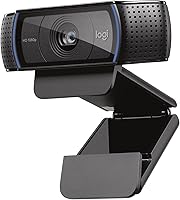
Logitech C920 vs C922: Which Webcam to Buy? (November 2026)
The C922x is the better webcam for most people because it adds 720p at 60fps and a 3-month XSplit VCam license for background replacement. Pick the C920 only if you want the older, cheaper Full HD model for basic calls.
On this page (9 sections)
- Logitech C920 vs C922: what actually differs?
- Which webcam wins for streaming and smooth motion?
- Which has the better audio for calls?
- Which handles low light and focus better?
- Which fits your desk and privacy habits?
- Which webcam works with your apps and console?
- How much webcam do you actually need?
- Who should buy which webcam?
- Verdict: which Logitech webcam should you buy?
The Logitech C922x is the better webcam for most people, because it adds a 720p/60fps mode for smoother streaming and a 3-month XSplit VCam license for background replacement. The C920 models are still capable Full HD cameras for everyday calls.
In this Logitech C920 vs C922 comparison, the choice comes down to whether you need high-frame-rate video and background tools.
The C922x carries a 9.7 score here. The C920x follows at 7.9, and the original C920 HD Pro sits at 7.6.
The score gap reflects the extra streaming features more than the core video quality, since all three deliver Full HD 1080p.
All three are USB webcams with autofocus, light correction and dual microphones. The differences show up in frame rate, software extras and small hardware details.


Logitech C920 vs C922: what actually differs?
The C922x is the only one of the three with a 60fps mode, and it's the newest streaming-focused model. The C920x and C920 HD Pro are Full HD 1080p cameras capped at 30fps.
The core imaging story is similar across the lineup. Each webcam lists autofocus and HD lighting adjustment, so they all aim to keep you bright and sharp in less-than-ideal rooms.
The table below puts the deciding specs side by side.
| Product | Best for | Max resolution | Frame rate | Focus | Our score |
|---|---|---|---|---|---|
| Logitech C922x HD Pro PC Webcam | streaming and video calls | Full HD 1080p | 1080p/30fps or 720p/60fps | Auto focus | 9.7 |
| Logitech C920x | basic video calls | Full HD 1080p | 30fps | Auto focus | 7.9 |
| Logitech C920 HD Pro | simple desktop setups | Full HD 1080p | 30fps | Auto focus | 7.6 |
The C922x measures 2.8 by 1.71 by 3.74 inches. The C920x comes in at 1.7 by 3.7 by 2.7 inches.
The original C920 HD Pro doesn't publish a size in its data here, but all three are compact clip-style webcams that sit on a monitor or laptop.
One detail stands out for privacy-minded buyers. The C922x and C920x both list no privacy shutter.
The C920 HD Pro doesn't include one either. If covering the lens matters to you, plan on a separate shutter.
Which webcam wins for streaming and smooth motion?
The C922x wins for streaming, because 720p at 60fps captures fast motion more smoothly than 30fps. If you stream games, record action footage or move around on camera a lot, that frame rate matters more than resolution alone.
At 60fps the camera doubles the number of frames per second compared with a 30fps webcam. Motion looks less choppy, and fast camera pans or quick hand gestures hold together better.
The trade-off is resolution: the smooth mode runs at 720p, not 1080p.
The C922x also ships with a 3-month XSplit VCam license. XSplit VCam removes, replaces or blurs your background without a green screen.
That is useful for streams, presentations and calls where your room is cluttered.
Neither C920 model lists a 60fps mode or the XSplit VCam license. They shoot 1080p at 30fps, which is fine for talking-head calls but less ideal for fast movement.
Should streamers pay more for the C922x?
Yes, if your main goal is live video. The C922x targets social gaming and entertainment streaming, and its feature set is built around that.
The 720p/60fps mode and background software do more for a stream than an extra resolution step at 30fps.
If you mostly sit still and talk, the gap narrows. A 1080p/30fps feed from either C920 is sharp and detailed for meetings and recordings.
You just won't get the smoother motion option.
Which has the better audio for calls?
All three webcams use dual microphones, and the C922x and C920x both describe stereo audio from two mics. That means you get natural-sounding voice capture without a separate microphone for everyday calls.
The C922x lists dual mics placed to capture natural sound during calls and recorded videos. The C920x lists the same stereo audio setup.
The C920 HD Pro adds automatic noise reduction to its two mics, which helps in rooms with steady background hum.
For a solo desk setup, any of the three handles Zoom, Teams or Meet audio well enough. If you record two people at one desk or want richer room sound, stereo mics help more than a single mic.
None of these webcams is a replacement for a dedicated podcast microphone. They are built for clear speech on calls, not studio recording.
Audio in a shared room
Noise reduction on the C920 HD Pro is a small advantage in a shared office. The C922x and C920x rely on mic placement and light correction to keep you sounding clear.
In a very loud room, a headset mic will beat all three.
Which handles low light and focus better?
All three list autofocus and HD lighting adjustment, so the low-light difference between them is small. The C922x and C920x name light correction directly.
The C920 HD Pro describes a five-element glass lens and tuned autofocus.
Logitech says the C922x automatically fine-tunes lighting to produce bright, sharp images in low light. The C920x description makes the same claim about light correction and its glass lens.
The original C920 leans on the glass lens and autofocus for clarity.
None of the three includes a built-in light. If your room is genuinely dark, a separate desk lamp or ring light does more than any of these cameras can.
Autofocus in everyday use
Autofocus helps when you move closer or hold something up to the camera. All three list it, so none stands out here.
The C922x pairs it with light correction for streaming, which is the combination most creators want.
Which fits your desk and privacy habits?
The C922x and C920x are compact clip webcams that sit on a monitor, while the C920 HD Pro shares the same basic form factor. Desk space is rarely the deciding factor between them.
The C922x measures 2.8 by 1.71 by 3.74 inches. The C920x measures 1.7 by 3.7 by 2.7 inches.
Both are small enough to perch on a monitor edge without crowding your desk.
Privacy is the bigger practical difference from the buyer's side. None of the three ships with a shutter.
The C922x and C920x both say so plainly. If you step away from your desk often, a clip-on cover is a cheap add-on for any of them.
Mounting and placement
All three are USB webcams built to sit on a desktop monitor or laptop. A monitor with a thin bezel may need a small adjustment to the clip, but the compact bodies keep that easy.
Keep the lens near eye level so callers see you straight on.
Which webcam works with your apps and console?
All three handle the major calling apps, and the C922x and C920x also list Nintendo Switch 2 GameChat compatibility. App support is broad across the lineup, so this rarely decides the purchase.
The C922x lists Microsoft Teams, Google Meet and Zoom compatibility, plus Nintendo Switch 2's new GameChat mode. It works on Mac, tablet and PC setups.
The C920x lists the same GameChat compatibility and full Windows 11 support.
The C920 HD Pro covers Windows, Mac, Android and Chrome OS through USB. It lists support for Skype, FaceTime on Mac and Google Hangouts, along with most other video calling clients.
If you split time between a console and a desk, the C922x and C920x cover both. For pure desktop calling, any of the three works.
How much webcam do you actually need?
Most buyers should get the C922x, because it covers calls and streaming in one camera. The C920x and C920 HD Pro make sense when budget or simplicity matters more than high-frame-rate video.
The C922x is the top pick for a reason. It is the only one here with 720p/60fps, and it includes XSplit VCam for background control.
For a streamer, a remote worker who presents often or anyone who wants one camera for everything, it earns the higher score.
The C920x is a solid everyday camera. It delivers 1080p at 30fps, light correction, dual mics and Windows 11 support.
If you only take video calls and never stream, it does the job.
The C920 HD Pro is the classic budget-friendly route. Full HD 1080p, autofocus, dual mics with noise reduction and 3x digital zoom cover basic calls and light recording.
How the C920 family stacks up
The naming is confusing, so here's the short version. The C920 HD Pro is the long-running original.
The C920x is a refreshed version of that camera with Windows 11 support listed. The C922x is the streaming-focused model with the 60fps mode.
If you want to sort out the two C920 variants before deciding, our Logitech C920e vs C920x comparison breaks down the differences. For a deeper look at the business-oriented model, the Logitech C920e review covers what that camera offers.
Who should buy which webcam?
Buy the C922x if you stream or record video and want smooth motion plus background tools. Buy the C920x if you want a dependable 1080p webcam for meetings.
Buy the C920 HD Pro if you want the classic model for simple calls and light recording.
Buy the C922x if you stream or present often
The C922x is the best fit for creators, gamers and anyone on camera regularly. Its 720p/60fps mode keeps fast motion smooth.
The XSplit VCam license handles background blur and replacement without a green screen.
It also covers standard calls well. Teams, Meet and Zoom are all listed as compatible, and the dual mics capture clear stereo audio.
Buy the C920x for everyday video calls
The C920x suits remote workers who spend their day in meetings. It gives you 1080p at 30fps, light correction, autofocus and dual mics.
Windows 11 support is listed explicitly.
It won't give you the smoother streaming mode or the background license. For straight calls, that trade is fine and keeps things simple.
Buy the C920 HD Pro for a basic desk camera
The C920 HD Pro fits buyers who want a no-frills Full HD webcam. It offers 1080p video, a glass lens, autofocus, dual mics with noise reduction and 3x digital zoom.
Skip it if streaming is on your list. The lack of a 60fps mode puts it behind the C922x for live video.
If you're comparing other everyday webcams too, our Anker PowerConf C200 vs Logitech C920 comparison shows how a newer budget camera stacks up. And if you're weighing a premium upgrade, the Dell UltraSharp webcam vs Logitech Brio 4K breakdown helps you decide whether 4K is worth it.
Verdict: which Logitech webcam should you buy?
The Logitech C922x wins this C920 vs C922 comparison for most people, because it adds 60fps streaming and background replacement on top of Full HD video. Pick the C920x if you only need reliable 1080p calls.
Pick the C920 HD Pro if you want the original model at a basic level.
The decision rule is simple. If you move on camera or stream, get the C922x.
If your camera is mainly for meetings and family calls, the C920x covers it. If you want the lowest-frills Full HD option, the C920 HD Pro is the classic choice.
Our score weighs specs, features and how well each camera fits what everyday webcam buyers want. The C922x earns its top score from the 60fps mode and the included XSplit VCam license.
The two C920 models remain solid Full HD cameras, just without the streaming extras.
Whichever you choose, plan for a separate privacy shutter. None of these three includes one, and it's a small add-on that protects the lens when the camera sits idle.
Frequently asked questions
Is the C922 better than the C920?
Yes for most buyers, because the C922x adds a 720p/60fps mode for smoother streaming and a 3-month XSplit VCam license for background replacement. The C920 models top out at 1080p/30fps, so they suit basic calls better than fast-motion video.
Can the Logitech C920 record at 60fps?
No. The C920 HD Pro and C920x both list Full HD 1080p at 30fps, so they are not built for 60fps capture.
The C922x is the one here with a 720p/60fps mode for smoother motion.
Do these webcams work with Zoom and Teams?
The C922x lists compatibility with Microsoft Teams, Google Meet and Zoom. The C920x and C920 HD Pro list general video calling and recording support on Windows and Mac, so they work with the usual calling apps.
Which webcam has better low-light video?
Both the C922x and C920x list HD lighting adjustment and autofocus, which brightens images in dim rooms. The C920 HD Pro also has autofocus and a glass lens.
None of the three includes a built-in ring light.
Do these webcams include a privacy shutter?
No. The C922x and C920x both list no privacy shutter, and the C920 HD Pro does not include one either.
You can cover the lens yourself or buy a separate clip-on shutter.
Can I use the C922x for Nintendo Switch 2 GameChat?
Yes. The C922x lists compatibility with Nintendo Switch 2's new GameChat mode.
The C920x also lists that compatibility, so either webcam works for console chat.