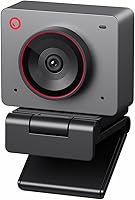
Insta360 Link 2C vs Logitech Brio 4K: Which Is Better? (November 2026)
The Logitech Brio 4K wins overall for most desks because its three field-of-view presets and Windows Hello support suit meetings and logins. The Insta360 Link 2C is the better pick when you want auto framing, gesture control and a camera that follows you around a room.
On this page (9 sections)
- Insta360 Link 2C vs Logitech Brio 4K: which is better for most people?
- How do the two webcams differ in image and framing?
- Which webcam handles audio and background noise better?
- How do the software and controls compare?
- Which webcam fits your desk setup and computer?
- Which webcam protects your privacy better?
- Who should buy the Logitech Brio 4K?
- Who should buy the Insta360 Link 2C?
- Verdict: which webcam should you choose?
The Logitech Brio 4K wins overall for most desks because its three field-of-view presets and Windows Hello support suit meetings and logins. The Insta360 Link 2C is the better pick when you want auto framing, gesture control and a camera that follows you around a room.
Both shoot 4K. The choice comes down to how you spend your video time: sitting still in meetings and signing into Windows, or moving around while presenting and streaming.


Insta360 Link 2C vs Logitech Brio 4K: which is better for most people?
The Logitech Brio 4K is the better overall webcam for most buyers. Its score of 8.5 edges the Link 2C at 8.4, and the gap comes from features that matter every day rather than occasionally.
The Brio gives you three diagonal field-of-view presets: 65, 78 and 90 degrees. You can frame a tight head-and-shoulders shot for a one-on-one call, then widen to 78 or 90 degrees to show more of the room for a team meeting.
Windows Hello support is the other everyday advantage. Optical and infrared sensors let you log in to Windows by looking at the lens, so you skip typing a password before each call.
The Insta360 Link 2C answers with intelligence instead of presets. Its auto framing zooms and adjusts to keep one person or a group in sight, and gesture control lets you start tracking or zoom without touching the keyboard.
That makes the Link 2C a strong second pick rather than a loser. It's the camera you choose when movement is part of your day.
Our full Insta360 Link 2C review covers its modes in more depth.
Where the Brio 4K pulls ahead
The Brio's fixed presets are predictable. Once you pick 65, 78 or 90 degrees, the frame stays put unless you change it.
Nothing reframes you when you lean sideways to grab a notebook.
That predictability matters for interviews, client calls and any meeting where a steady shot looks more professional than a camera that chases you.
Windows Hello also saves time on a shared home office PC. The privacy shutter flips up and down, so you can block the lens between calls without unplugging the camera.
The Brio records up to 4K at 30 fps with autofocus and 5x digital zoom. RightLight 3 adjusts exposure and contrast when a window glares behind you or a lamp washes out your face.
Where the Link 2C pulls ahead
The Link 2C is built for people who move. Auto framing keeps everyone clearly in sight whether it's one person or a group, and AI tracking follows you as you walk.
Gesture control is the feature you'll notice most in a demo. Simple hand gestures start AI tracking or auto framing, zoom in or out and activate Whiteboard Mode.
Whiteboard Mode and DeskView give it a second job beyond calls. Point it at a whiteboard or your desk and it becomes a teaching or presentation camera.
The 1/2 inch sensor with HDR and low-light performance helps when your room isn't brightly lit. AI noise-canceling on the mic filters background noise in busy spaces.
How do the two webcams differ in image and framing?
Both deliver 4K, but they get there differently: the Brio lets you set the frame, while the Link 2C sets it for you. Image quality is close on paper, so framing control is the real divider.
The Brio's strength is choice. Three diagonal presets cover a close talking-head shot, a standard desk view and a wide room view.
Autofocus and 5x digital zoom let you tighten the shot without moving the camera.
Its RightLight 3 handles glare and backlighting automatically. If your desk faces a window, that's a practical feature you'll appreciate on sunny afternoons.
The Link 2C leans on its 1/2 inch sensor for true-to-life 4K visuals with HDR. Phase Detection Auto Focus (PDAF) keeps the picture crisp, and the camera can produce natural bokeh for a DSLR-like look.
Auto framing is the headline. It zooms and adjusts to keep people in sight, which suits group calls where attendees join and leave.
The trade-off is that it may reframe when you'd rather it didn't.
If steady, deliberate framing is your priority, the Brio's presets are easier to trust. If you host dynamic calls and streams, the Link 2C does more of the work for you.
The OBSBOT Meet 2 vs Insta360 Link 2C comparison looks at how the Link 2C stacks up against another auto-framing rival.
Which webcam handles audio and background noise better?
Both include noise-canceling microphones, so either can carry a call without a separate mic. The difference is in how much of the room each one lets through.
The Brio uses dual omnidirectional microphones with noise-canceling tech. Logitech says they capture clear audio from up to 1.2 meters away while reducing background noise.
That reach suits a single person at a desk. You can sit back in your chair and still be heard clearly without leaning toward the camera.
The Link 2C leans on AI noise-canceling algorithms. Insta360 says they filter out unwanted background noise for clear communication, even in busy environments.
For a home office with occasional traffic or a shared space, the Link 2C's approach is appealing. For a quiet room and a single speaker, the Brio's dual mics do the job.
Neither camera replaces a dedicated microphone for podcasting or serious streaming. But for meetings and casual streams, both are ready out of the box.
How do the software and controls compare?
The Brio spreads controls across two apps, while the Link 2C centralizes them in Link Controller and adds gesture control. Pick based on how much you want to adjust versus how much you want the camera to handle.
The Brio works with Logi Options+ for zoom, color presets, color adjustments, manual focus and firmware updates. Logitech also points to the free Logi Tune desktop app for webcam control, customization and access to the diagonal field-of-view presets.
Two apps for one camera can feel redundant. The upside is granular control: you can set color and focus by hand when the automatic settings don't match your room.
The Link 2C uses the free Link Controller software. You can fine-tune settings, access advanced features and personalize the experience from one place.
Gesture control sets it apart. You can start AI tracking or auto framing, zoom and switch to Whiteboard Mode with hand movements rather than clicking through menus.
Smartphone control adds another option. You can control the webcam remotely from your phone, which helps when the camera is mounted out of reach or across a room.
If you like dialing in every setting, the Brio's controls are deeper. If you'd rather wave at the camera and keep your hands on your notes, the Link 2C fits better.
Which webcam fits your desk setup and computer?
The Brio is the safer fit for mixed devices and Windows offices, while the Link 2C needs a modern non-ARM Windows PC or a Mac. Check your machine before you buy.
The Brio works with Windows, Mac and ChromeOS and popular calling and streaming platforms. It's fully compatible with Windows 11 and supports Windows Hello.
It measures about 4.02 inches wide, 1.06 inches deep and 1.02 inches high, so it takes up a fair amount of space atop a monitor.
The Brio connects over USB-A and USB-C. That flexibility helps if your laptop has only one type of port or you move the camera between a desktop and a laptop.
The Link 2C is a compact camera in Graphite Black that works with Microsoft Teams, Zoom, Twitch and more. It includes a magnetic mount, four recognition markers, a USB-C cable and a USB-C to A adapter.
The compatibility note is the important one. The Link 2C is not compatible with ARM-based Windows systems and does not support Windows Hello face recognition.
If you use a Windows laptop with an ARM chip, the Brio is the clear choice. If you're on a standard Intel or AMD Windows PC or a Mac, both work.
The Insta360 Link 2 vs Link 2 Pro comparison is worth a read if you're weighing the wider Insta360 line.
Which webcam protects your privacy better?
Both offer built-in privacy controls, but they work differently. The Brio uses a physical shutter, while the Link 2C uses a switch.
The Brio's attachable privacy shutter flips up and down over the lens. It's a simple mechanical cover you can see at a glance, which makes it easy to confirm the camera is blocked.
The Link 2C has an easy-access privacy switch. It's built into the camera body, so there's no separate accessory to lose.
Neither approach is inherently more secure. The Brio's shutter is visible from across the room, while the Link 2C's switch is quicker to flip without looking.
If you share a workspace and want an obvious "camera off" signal, the Brio's flip shutter is easier to read. If you want a one-touch control on the body, the Link 2C's switch is more direct.
Who should buy the Logitech Brio 4K?
Buy the Logitech Brio 4K if most of your video time is meetings, interviews and Windows logins. It's the more predictable camera for a fixed desk.
Choose it when you want to set a frame and leave it alone. The three field-of-view presets let you match the shot to the call, and RightLight 3 handles tough lighting without fuss.
It's also the pick for Windows Hello users. Face login speeds up the start of every meeting, and the infrared sensors work in low light.
Buyers who move between Windows, Mac and ChromeOS will appreciate the broad compatibility. The USB-A and USB-C connection covers most desks without an adapter.
Skip it if you present while standing, teach at a whiteboard or stream with frequent movement. The fixed frame won't follow you, and you'll be adjusting the view by hand.
If you want a smaller Logitech camera, the Logitech Brio 505 vs 500 comparison covers the step-down models.
Who should buy the Insta360 Link 2C?
Buy the Insta360 Link 2C if you move during calls and want the camera to keep up. Auto framing and gesture control are the reasons to choose it.
It suits presenters, teachers and streamers who walk around a room or switch between a desk and a whiteboard. Whiteboard Mode and DeskView turn it into a flexible content camera.
Gesture control is genuinely useful when your hands are busy. A wave can start tracking or zoom in without breaking your flow to find a menu.
The 1/2 inch sensor with HDR and low-light performance helps in rooms with uneven lighting. AI noise-canceling keeps your voice clear when the background is noisy.
Skip it if you rely on Windows Hello or use an ARM-based Windows machine. The missing face login and the ARM limitation are real drawbacks for those buyers.
Also skip it if you want a frame that never moves on its own.
Verdict: which webcam should you choose?
Pick the Logitech Brio 4K for most desks. Its score of 8.5 and its mix of three field-of-view presets, Windows Hello and broad device support make it the safer everyday camera.
The Brio is the camera you set once and forget. It frames you predictably, logs you in with your face and works across Windows, Mac and ChromeOS.
Choose the Insta360 Link 2C when movement defines your video. Auto framing, gesture control, Whiteboard Mode and DeskView make it the better tool for presenters and streamers, even at a slightly lower score of 8.4.
The decision rule is simple. If you sit still for meetings and want secure login, buy the Brio.
If you move around and want the camera to follow, buy the Link 2C. Either way, check your computer's chip and login setup before you order.
Frequently asked questions
Does the Insta360 Link 2C support Windows Hello?
No. The Insta360 Link 2C does not support Windows Hello face recognition.
The Logitech Brio 4K does, using optical and infrared sensors, so you can log in to Windows by looking at the lens.
Which webcam has the wider field of view?
The Logitech Brio 4K lets you choose 65, 78 or 90 degrees diagonal, so you can frame a head-and-shoulders shot or more of the room. The Insta360 Link 2C relies on auto framing, which zooms and adjusts the view to keep people in sight.
Can the Insta360 Link 2C record in 4K?
Yes. The Insta360 Link 2C captures 4K video with HDR and low-light performance from its 1/2 inch sensor.
The Logitech Brio 4K also records up to 4K at 30 fps, with RightLight 3 adjusting exposure and contrast.
Which webcam is easier to keep private?
Both have built-in privacy controls. The Logitech Brio 4K uses an attachable shutter that flips up and down, while the Insta360 Link 2C has an easy-access privacy switch.
Either one lets you block the lens without unplugging the camera.