Fixed Focus vs Autofocus Webcam: Which Is Better? (November 2026)
Pick autofocus if you move around or sit at varying distances; pick fixed focus if you sit in one spot and want a wide, always-sharp view. The NexiGo N930AF wins overall for most people because its autofocus adapts to how you actually sit.
On this page (5 sections)
Pick autofocus if you move around or sit at varying distances; pick fixed focus if you sit in one spot and want a wide, always-sharp view. The NexiGo N930AF wins overall for most people because its autofocus adapts to how you actually sit.
The AVerMedia Live Streamer CAM 315 is the better fixed-focus pick for wide framing and smoother 60fps motion.
In this fixed focus vs autofocus webcam comparison, the lens type decides how sharp you look when you lean in, sit back or share the desk. We checked the specs of two popular models to show where each focus type helps and where it costs you.


Fixed focus vs autofocus webcam: what actually differs?
The difference is whether the lens refocuses as your distance changes. An autofocus lens moves to keep you sharp, while a fixed-focus lens stays set to one distance band and asks you to sit within it.
A fixed lens has a single sharp zone. Step closer than that zone or farther back and the image softens.
Autofocus tracks your face and moves the lens so you stay sharp as you lean in, stand up or share the frame.
The trade-off is simple. Autofocus adds flexibility at the cost of a moving lens, while fixed focus gives a stable, predictable image at one distance.
Which one you want depends on how you sit and how wide your frame needs to be.
How autofocus handles a moving subject
Autofocus earns its keep when your distance changes. The NexiGo N930AF uses autofocus to keep videos sharp, and its focusing starts close and ranges outward so you can sit nearer or farther without going soft.
That matters in shared or changing setups. A standing desk, a family office or a presenter who leans toward the screen all push the lens to refocus.
Fixed focus would leave those positions out of the sharp band.
Autofocus can hunt in very low light, when the lens struggles to find contrast. Brighten the room or add a lamp, and the focusing settles.
What fixed focus gives you in return
A fixed-focus lens never hunts. The AVerMedia Live Streamer CAM 315 keeps its focus locked, so your frame stays stable from the first minute to the last.
That stability suits a streamer or caller who sits in one seat at one distance. The lens holds its sharpness without a motor searching for a face, and the picture stays consistent through long sessions.
The cost is depth. Move outside the fixed band and you soften.
A wide field of view helps by keeping more in frame, but it doesn't restore sharpness if you sit too close or too far.
How exposure and light affect the focus choice
Exposure control changes how well each focus type behaves in a real room. The NexiGo N930AF uses automatic exposure, so the camera adjusts the picture as the light shifts around you.
That pairs well with autofocus. When the room brightens or dims, the camera adjusts brightness on its own while the lens keeps tracking your face.
The weak spot is dim light, where autofocus can hunt and automatic exposure pushes the image grainier.
The AVerMedia CAM 315 uses manual exposure control. You set the brightness rather than letting the camera guess, which gives a more consistent picture once you dial it in.
That suits a fixed setup with steady lighting.
If your light changes through the day, the NexiGo's automatic exposure saves you from readjusting settings. If your room is controlled and you want a repeatable look, the AVerMedia's manual control gives you the final say.
NexiGo N930AF: the autofocus pick for changing setups
The NexiGo N930AF is the better webcam for most people because its autofocus adapts to where you actually sit. It's a 1080p autofocus camera with a built-in noise-canceling microphone and a privacy cover, and it's the overall winner in this comparison.
What the autofocus lens does for you
The camera captures up to 1080p at 30fps from a 2MP CMOS sensor. NexiGo says the autofocus focuses from a 7 cm starting point and ranges outward, so the lens tracks your face as your seating distance changes.
That range is the point. You don't have to lock your chair to one spot or measure your distance before a call.
Lean toward the screen to read a document, sit back to relax, and the focus follows.
When you want a locked lens, you can turn autofocus off and set your focal point manually. That gives you the best of both focus types in one camera, which fixed-focus models can't match.
Sound, privacy and mounting
The built-in microphone uses noise cancellation to cut room noise. That's useful for Zoom, Teams, Webex and streaming, where a separate mic would add a cable and clutter.
A privacy cover flips over the lens when the camera is idle. It blocks the view and keeps dust off the glass, so the picture stays clear over time.
Setup is plug and play with no extra drivers. The folding design and 6.5 ft USB cord let you clip it to a monitor, laptop or tripod, or set it on a flat surface.
The mounting clip fits monitors, laptops and tripods alike, so you can move the camera between desks without buying a new mount.
The software and device support
NexiGo offers optional webcam software that lets you customize the camera's settings while you use Zoom, Skype, Teams and other video apps. The software runs on Windows 7, 8, 10 and 11 and on macOS 10.13 or later.
The camera itself is widely compatible. It works with Windows XP through 11, Mac OS 10.6, Linux 2.6.24, Chrome OS 29.0.1547 and Ubuntu 10.04 or above, along with the popular video and meeting apps.
That spread matters if you move the camera between a work laptop and a home machine on different systems.
Where the NexiGo falls short
The frame rate tops out at 30fps, so fast motion looks less smooth than the AVerMedia's 60fps. For meetings and everyday calls that gap is minor, but streamers chasing smooth gameplay may notice it.
Autofocus can also hunt in very low light. If your room is dim, the lens takes longer to lock on, and a brighter lamp helps more than any setting.
Who the NexiGo N930AF suits
Buy this camera if you move in your chair, share a desk or use a standing setup. It also fits anyone who wants one device for both video and audio without adding a separate microphone.
Our guide to the best webcams with a built-in microphone covers more cameras that handle sound on their own. If your room stays dim, our roundup of the best webcams for low light shows which models cope better.
AVerMedia CAM 315: the fixed-focus pick for wide, stable frames
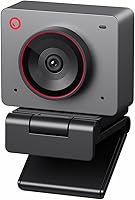
The AVerMedia Live Streamer CAM 315 is the better webcam when you sit in one place and want a wide, steady frame. It's a 1080p 60fps fixed-focus camera with a 95 degree field of view and a sliding privacy shutter, and it's the top fixed-focus choice here.
Why fixed focus works for this camera
The lens is set to one focus distance. Sit within that band and you stay sharp all session, with no motor movement and no hunting.
That predictability is the draw. A streamer who sits at the same desk every night gets a stable picture, and the focus never drifts mid-sentence.
The trade-off is real. Lean in close or sit far back and the image softens.
This camera rewards a fixed seat and a steady distance, not a shifting one. The wide lens makes that band easier to hit, but it can't stretch it.
The wide view and smooth motion
A 95 degree field of view is one of the widest around. It captures more of your room or brings more people into a call without moving the camera back.
The camera records at 1080p 60fps, which smooths fast motion for streaming and gaming. That doubled frame rate is the clearest edge over the NexiGo's 30fps.
The 360 degree swivel design lets you angle the camera without remounting it. A sliding privacy shutter on a swivel arm covers the lens when you're done.
The swivel also helps when you want to point the wide view at a second person or a whiteboard, then swing back to your seat.
Software and compatibility
AVerMedia's CamEngine software offers color adjustments, skin-tone filters, AR face effects and ePTZ with auto framing. The ePTZ stands out for a fixed-focus camera, because the software can crop and follow the frame digitally, so the wide lens doesn't have to carry the whole job.
The camera works with Skype, Zoom and Teams and connects over USB. The swivel mount makes it easy to reposition for a different shot.
Where the AVerMedia falls short
The fixed lens is the main limit. If your seating distance changes, you go soft and there's no autofocus to correct it.
This camera assumes you sit in one spot.
Its manual exposure control also asks more of you than the NexiGo's automatic exposure. You set the picture rather than letting the camera adjust for the room.
Who the AVerMedia CAM 315 suits
Buy this camera if you stream or take calls from one fixed seat and want more of the room in frame. It's also the pick for anyone who values smooth 60fps motion over autofocus flexibility.
If you use Windows Hello for sign-in, check our guide to which webcams work with Windows Hello before you buy, since not every camera supports face login. Laptop owners who need a newer port can browse the best USB-C webcams for a cleaner cable run.
Autofocus vs fixed focus for video calls and streaming
Autofocus suits calls where people move; fixed focus suits streams from one seat. For video calls, the people in frame shift, lean and come and go, so the NexiGo N930AF's tracking lens is the call-friendly pick.
For streaming, the presenter usually sits in one spot, so a fixed lens like the AVerMedia CAM 315 holds its focus and adds 60fps for smoother motion on screen.
Think about your worst-case setup. If you share a desk or stand up mid-call, autofocus saves you.
If you sit still and want a wide shot, fixed focus keeps the frame stable.
The head-to-head points that decide it
Focus flexibility goes to the NexiGo N930AF. Its autofocus tracks your distance, and you can switch it to manual focus when you want a locked lens.
The AVerMedia CAM 315 stays locked to one band all the time, so you sit within it or go soft.
Frame rate goes to the AVerMedia CAM 315. It records at 1080p 60fps, double the NexiGo's 30fps.
That matters most for fast gameplay and motion-heavy streams, and least for seated meetings and calls.
Field of view goes to the AVerMedia CAM 315. Its 95 degree view is wider than a typical webcam lens, so it fits more people and background in frame.
The NexiGo's tighter frame suits a single presenter at a desk.
Sound goes to the NexiGo N930AF. Its built-in noise-canceling microphone means one cable handles video and audio.
The AVerMedia CAM 315 also has a built-in microphone, but its sound quality trails the NexiGo's noise-canceling mic, so a streamer may still add a dedicated one.
Light and exposure go opposite ways. The NexiGo uses automatic exposure that adjusts to the room but can struggle when the light is very dim.
The AVerMedia uses manual exposure, which holds a steady look once set but asks you to adjust it yourself.
Privacy covers are on both. The NexiGo uses a flip cover over the lens, and the AVerMedia uses a sliding shutter on a swivel arm.
Either way, the lens is covered when the camera is idle.
Which webcam should you buy?
Buy the NexiGo N930AF for most desks, and buy the AVerMedia CAM 315 if you sit in one spot and want a wide 60fps frame. The NexiGo wins overall at a score of 9.5 because its autofocus, built-in noise-canceling microphone and privacy cover make it a complete everyday camera for changing setups.
The ability to lock focus manually means you can get fixed-focus behavior when you want it.
The AVerMedia Live Streamer CAM 315 scores 9.3 and wins on wide framing and motion. Its 95 degree field of view and 1080p 60fps suit a streamer or presenter who stays seated.
The fixed lens is a limit for shifting distances but a benefit for stability.
Here's the simple rule. Pick the NexiGo N930AF if you move in your chair, share a desk or want one cable for video and audio.
Pick the AVerMedia CAM 315 if you sit in one seat, want more of the room in frame and value smooth 60fps motion.
If you're still deciding what a webcam should do for your desk, our Windows Hello webcam guide also covers face login. For dim rooms, the low-light webcam roundup shows which cameras hold up when the lights are down.
Either way, match the focus type to how you sit and the rest of the specs fall into place.
Frequently asked questions
Is autofocus better than fixed focus on a webcam?
Autofocus is better when your distance from the camera changes, because the lens refocuses to keep you sharp. Fixed focus is better when you sit in one spot and want a wide view that never hunts, since the lens stays locked on a set distance.
Why do fixed-focus webcams go blurry when I lean in?
A fixed-focus lens is set to one distance band, so moving closer or farther than that band takes you out of focus. Sitting near the sweet spot keeps you sharp, while leaning in close or sitting far back softens the image.
Can I turn off autofocus on a webcam?
Yes on some models. The NexiGo N930AF lets you switch autofocus off and set your focal point manually, which gives you a fixed lens when you want one.
That flexibility is the main practical edge autofocus cameras have over locked lenses.
Which focus type is better for streaming?
For a streamer who stays seated at one desk, a fixed-focus camera like the AVerMedia CAM 315 keeps the frame stable and adds 60fps motion. For a presenter who leans in and out or moves around, autofocus on the NexiGo N930AF keeps you sharp.
Does autofocus matter for video calls?
It matters if you share a desk with others, shift in your chair or use a standing setup. Autofocus keeps each person and each new position sharp, while a fixed lens assumes everyone sits within the same distance band.
What field of view should a fixed-focus webcam have?
A wide field of view helps a fixed-focus camera, because more of the room stays in frame while the lens stays locked. The AVerMedia CAM 315 uses a 95 degree field of view to keep more people and background visible.