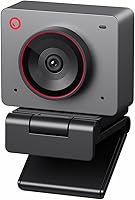
OBSBOT Meet 2 vs Tiny 2: Which to Choose? (November 2026)
Pick the OBSBOT Tiny 2 for most buyers because its larger 1/1.5-inch sensor, 4 tracking modes and voice control make it the stronger all-round webcam. Choose the OBSBOT Meet 2 if you need a pocketable 4K camera for travel and meetings.
On this page (6 sections)
Pick the OBSBOT Tiny 2 for most buyers because its larger 1/1.5-inch sensor, 4 tracking modes and voice control make it the stronger all-round webcam. Choose the OBSBOT Meet 2 when portability matters more than tracking range and you want 4K from a camera the size of an earbud case.
This OBSBOT Meet 2 vs Tiny 2 comparison looks at what separates the two models in real use: sensor size and low light, AI tracking, how you control each camera, and how much desk or bag space each one takes. Both are 4K webcams from the same brand, so the gap is in features and size rather than image resolution.
One sits on a motorized pan-tilt base and takes spoken orders. The other weighs less than a smartphone and slips into a pocket.


Which webcam has the better sensor?
The Tiny 2 wins this one clearly: its 1/1.5-inch CMOS sensor is larger than the Meet 2's 1/2-inch sensor. A bigger sensor collects more light per pixel, which matters when your desk sits away from a window or you take calls after dark.
OBSBOT calls the Tiny 2's sensor the largest used in the webcam industry. That's a maker claim, but the numbers back the direction: 1/1.5 inch is a meaningful step up from 1/2 inch.
The Tiny 2 also pairs its sensor with HDR light correction, so bright windows and dim corners are handled with less blown-out background.
The Meet 2 still captures 4K and its bigger-than-typical 1/2-inch sensor widens the light-sensitive area compared with older budget webcams. In a bright office or a well-lit room, both cameras produce sharp footage.
The difference shows up in shadow detail and noise when the light drops.
The rest of the Tiny 2's imaging chain adds to that head start. Its maximum aperture is f/1.8, a wide opening that lets in more light than a typical webcam lens, and it captures stills at 12 MP while running video at up to 60 frames per second.
The Meet 2 records 16:9 footage and lists still resolution up to 48 MP with MJPEG and YUV file formats. Those figures describe different things, so treat them as paper specs and judge the cameras on how they handle a dim room.
Low light and HDR
For evening streams or a room with one lamp, the Tiny 2's larger sensor and HDR correction give it the edge. The Meet 2's 1/2-inch sensor helps, but it has less room to gather light.
The Tiny 2's f/1.8 aperture widens that gap further, since more light reaches the sensor before any software correction kicks in. In a bright room the two look close.
In a dim one the Tiny 2 keeps more detail in faces and backgrounds.
Which one tracks you better?
The Tiny 2 tracks you better, with four AI tracking modes and a PTZ mount that physically turns the camera. The Meet 2 relies on AI framing inside the frame, so it reframes the shot digitally rather than moving the lens.
The Tiny 2's modes include upper body, close-up, hand tracking and zone tracking. OBSBOT says the upgraded algorithm reacts faster than 99% of peers, which is a maker claim, but the practical effect is smooth follow when you stand up, gesture or move between a whiteboard and your chair.
Because the camera sits on a pan-tilt base, it can swing to keep you in view across a wide desk. It also zooms up to 4x digitally.
The Meet 2's AI framing adjusts composition and focus for one person or a group. It keeps you in the spotlight without any motorized movement, which is ideal when the camera stays clipped to a laptop lid and the laptop goes with you.
Gesture control opens or closes AI framing and zooms with two hand signs, so you don't have to reach for software mid-call. It also offers 4x digital zoom, though without a motor the zoom is a crop of the frame rather than a turn of the lens.
What each tracking mode is for
The Tiny 2's four modes map to different jobs. Upper body mode keeps your head and torso framed for calls and presentations.
Close-up mode tightens on your face for tutorials or a face cam. Hand tracking follows your hands when you demonstrate a product or sketch on a tablet.
Zone tracking locks the camera to a set area, so it stays put while people walk past behind you.
The Meet 2 has one framing system rather than a menu of modes. It reads the scene and adjusts composition and focus automatically, which is simpler to live with but gives you less say over how the shot is built.
If you want to decide whether the frame shows your face or your whole desk, the Tiny 2 asks the question. The Meet 2 answers it for you.
Who needs a moving camera?
Choose the Tiny 2 if you present, teach or stream while moving around a set. Choose the Meet 2 if your camera stays in one spot and you mostly sit still.
How do you control each webcam?
The Tiny 2 offers voice and gesture control; the Meet 2 offers gesture control only. That difference decides a lot for people who sit far from their keyboard or share a camera in a meeting room.
The Tiny 2 supports voice commands. Say "Hi, TINY" and "Track Me" and the camera responds without you touching a mouse.
Its gesture control is version 2.0 and reacts quickly, so you can wave a hand to start tracking or stop it. The voice layer matters most when the camera is across a room and your hands are busy with a whiteboard marker or a product.
The Meet 2 uses dynamic gesture control for framing and zoom. It drops voice commands entirely, which keeps the camera simple and small.
For a solo desk setup where your hands are already near the keyboard, that's fine. For a conference table where the camera sits 10 feet away, voice control on the Tiny 2 is genuinely useful.
With the Meet 2 you would walk over and make a gesture instead.
Autofocus speed
The Tiny 2 uses all-pixel autofocus and OBSBOT claims a 0.3-second lock, about four times faster than other webcams. That speed helps when you hold objects up to the lens during a demo or unboxing.
The Meet 2 has auto focus as well, and in normal seated calls both keep your face sharp. The gap shows when subjects change quickly.
The Tiny 2's own instructions note that to focus on a new object you should place it in front of the camera and block your face, so even the fast system expects you to prompt it. The Meet 2's autofocus is the simpler kind: it finds your face and holds it without extra steps.
How much space does each webcam take?
The Meet 2 is far smaller: 40.5 g and about the size of a pair of earbuds, against 143.3 g for the Tiny 2. If your camera lives in a backpack, that weight gap is the whole argument.
The Meet 2 measures 0.43 x 0.2 x 0.41 inches in depth, width and height. It connects with a single USB-C cable and runs plug and play, so it's ready the moment you open the laptop at a café.
The Tiny 2 measures 1.85 x 2.52 x 1.73 inches and ships with a portable storage case and a metal adjustable mount. It's built to sit on a desk or a tripod rather than ride in a pocket.
The Tiny 2's kit also includes a 4 ft USB-C 3.0 cable and a USB-A adapter for older ports.
The Tiny 2's mount lets you angle the camera and raise it above a monitor, which helps with eye contact. The Meet 2 clips on directly, so eye contact depends on where your laptop screen sits.
Neither camera includes a flash, and both rely on your PC or Mac for storage. The Meet 2 comes in a grey finish, and OBSBOT offers other colors for buyers who want their setup to look a certain way.
Which setup is easier to fit on a small desk?
On a cramped desk the Meet 2 takes up almost no room. Its 0.2-inch width means it barely covers the top edge of a monitor, and there is no base to clear space for.
The Tiny 2 needs a patch of desk or a monitor lip plus room for its mount, and its base swings when tracking. If your desk is already crowded with a keyboard, a notebook and a coffee cup, that footprint is a real factor.
The Meet 2 simply clips on and stays out of the way.
Travel and desk setups
Pick the Meet 2 for hybrid work, hotel rooms and shared desks. Pick the Tiny 2 for a permanent streaming corner or a meeting room where the camera stays put.
How do the audio and software compare?
The Meet 2 has dual omni-directional noise-canceling mics with adjustable reduction; the Tiny 2's headline feature is voice control rather than mic tuning. If you take calls without a headset, the Meet 2's mic setup is the more useful of the two.
The Meet 2 lets you adjust the noise reduction level for the scene, filtering wind noise, keyboard clatter and room hum. That's handy on the road, where you can't control the background.
The Tiny 2 focuses its audio effort on picking up voice commands, so its built-in mic serves meetings but doesn't advertise the same scene-based noise tuning. If you take most calls with a headset, the mic gap matters less and the Tiny 2's voice layer matters more.
Both cameras work with the OBSBOT Center software. The Tiny 2 goes further for tinkerers: it supports SDK, OSC, Stream Deck and global hotkeys, plus beauty mode, desktop mode, whiteboard mode, portrait mode and group mode.
That range suits streamers who want one camera to handle a presentation, a tutorial and a face cam. The Meet 2 keeps things simpler, with the app there for deeper settings when you want them.
Its plug-and-play start means you can be on a call before you ever open the app.
What the scene modes do in practice
The Tiny 2's modes change how the camera behaves rather than just how the image looks. Whiteboard mode keeps a board in frame for teaching.
Desktop mode looks down at a desk for craft or drawing streams. Group mode widens the shot for several people at a table.
Portrait mode frames a single person. Beauty mode softens skin, and you can leave it off.
Those modes are why the Tiny 2 can stand in for a small production camera. A teacher can switch from their face to a whiteboard without moving the camera.
A streamer can jump from a face cam to a desk shot for a build or a sketch. The Meet 2's job is narrower: it frames the people in front of it and stays small.
It does that well, but it won't carry a whole show the way the Tiny 2's mode list suggests.
Which is easier to live with?
The Meet 2 is easier to set up and carry. The Tiny 2 rewards time spent in the software with more control over framing and scene modes.
Meet 2 vs Tiny 2: which should you buy?
Most readers should buy the OBSBOT Tiny 2. Its larger 1/1.5-inch sensor, four AI tracking modes, voice control and 0.3-second autofocus make it the more capable webcam, and it earns the higher score of 9.4 in this comparison.
It suits streamers, teachers, presenters and anyone who wants a camera that follows them around a room.
Its 60 fps output and HDR light correction add to the case for live video. Plan for a little extra room on the desk and accept that it runs warm during use.
Buy the OBSBOT Meet 2 if you work from a laptop and move between places. At 40.5 g it disappears into a bag, its 1/2-inch sensor handles 4K, and gesture control covers framing and zoom without software.
Its dual noise-canceling mics and adjustable reduction are a better fit for calls without a headset. For a small desk or a travel kit, that combination is hard to beat.
The deciding question is simple: does your camera move with you or stay in one spot? If it stays, the Tiny 2's tracking, sensor and voice commands give you more for the money.
If it travels, the Meet 2's size wins. For a closer look at the smaller camera, read our OBSBOT Meet 2 review.
If you're also weighing other brands, our OBSBOT Meet 2 vs Insta360 Link 2C comparison and our Logitech C920e vs C920x breakdown cover the alternatives. And if you're comparing within the OBSBOT line, see the OBSBOT Meet 2 vs Meet SE comparison.
Frequently asked questions
Is the OBSBOT Tiny 2 better than the Meet 2?
For most people, yes. The Tiny 2 has the larger 1/1.5-inch sensor, four AI tracking modes, voice control and a faster 0.3-second autofocus.
The Meet 2 wins on portability at 40.5 g and costs less, so it suits travelers and small desks better.
Does the OBSBOT Meet 2 have voice control?
No. The Meet 2 uses dynamic gesture control instead: one hand gesture opens or closes AI framing and another controls zoom.
Voice commands are a Tiny 2 feature, where you say phrases like Hi, TINY or Track Me to control the camera.
Which OBSBOT webcam is better for streaming?
The Tiny 2 fits streaming better because of its 60 fps output, HDR light correction and four tracking modes, including hand tracking and zone tracking. Streamers who move around a set get smoother follow from the PTZ design and its voice commands.
Can I take the OBSBOT Tiny 2 on trips?
You can, since it ships with a portable storage case and a metal adjustable mount. At 143.3 g it is far heavier than the 40.5 g Meet 2, though, so frequent travelers usually prefer the smaller camera.
Do both webcams need the OBSBOT Center software?
Both work over a single USB-C connection, and the OBSBOT Center software opens up deeper settings. The Meet 2 runs plug and play for basic calls, while the Tiny 2 adds voice, gesture and tracking controls that you tune in the app.
Which webcam handles low light better?
The Tiny 2 should, because its 1/1.5-inch CMOS sensor is larger than the Meet 2's 1/2-inch sensor. A bigger sensor collects more light, and OBSBOT pairs it with HDR light correction, so dim rooms favor the Tiny 2.