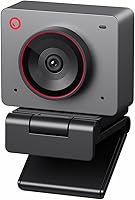
Insta360 Link 2 vs Elgato Facecam 4K: Which Is Better? (November 2026)
The Insta360 Link 2 wins for most people because it moves to keep you in frame and cleans up your voice without extra gear. The Elgato Facecam 4K is the better studio camera when you sit in one spot and want 60 FPS motion with lens filters.
On this page (9 sections)
- Insta360 Link 2 vs Elgato Facecam 4K: which should you buy?
- How do the two webcams differ in image quality?
- Which webcam has the better microphone?
- How does tracking compare?
- Which webcam is easier to set up and control?
- Which webcam fits your desk and software?
- Who should buy which webcam?
- How do the specs line up side by side?
- Verdict: which webcam is better for most people?
The Insta360 Link 2 wins for most people because it moves to keep you in frame and cleans up your voice without extra gear. The Elgato Facecam 4K is the better studio camera when you sit in one spot and want 60 FPS motion with lens filters.
In this Insta360 Link 2 vs Elgato Facecam 4K comparison, the scores land at 9.3 and 9.1. That gap is small, but the two cameras are built for different desks.
One is a motorized PTZ camera with a microphone and tracking. The other is a fixed 4K60 studio webcam that leans on a strong sensor and creative controls.


Insta360 Link 2 vs Elgato Facecam 4K: which should you buy?
Buy the Insta360 Link 2 if you take calls all day, move while you talk or want audio handled in one device. Buy the Elgato Facecam 4K if your camera stays put and you want the smoothest motion and filter-friendly video.
The Link 2 is the overall pick for most readers. Its pan and tilt head, built-in noise-canceling mic and gesture control cover the jobs that would otherwise need a tripod, a separate microphone and manual reframing.
The Facecam 4K earns its place with 4K at 60 FPS and a Sony STARVIS 2 sensor. That combination suits a streamer or creator who has already built a fixed set and wants camera quality to match.
Your decision comes down to three things: whether the shot moves, whether you want to add a microphone and how much light your room gets. The sections below take each in turn.
How do the two webcams differ in image quality?
The Insta360 Link 2 favors mixed lighting and depth; the Elgato Facecam 4K favors smooth motion and color control. Both output 4K, so the split is in sensor size, aperture and frame rate.
The Link 2 uses a 1/2-inch sensor with HDR and low-light tuning. Its lens opens to f/1.8, the wider of the two apertures, which lets in more light when the room is dim.
The Facecam 4K pairs an f/2.8 prime lens with a 1/1.8-inch Sony STARVIS 2 CMOS sensor. Elgato says the sensor and lens deliver sharp detail and vibrant color, and the camera supports HDR and uncompressed video.
In plain terms, the Link 2 is built to look good in ordinary rooms. The Facecam 4K is built to look good in a controlled one.
Frame rate and motion
The Facecam 4K records 4K at 60 FPS. The Link 2 is a 4K webcam without a 60 FPS mode in its headline specs.
For fast movement, gameplay or hand gestures in frame, 60 FPS gives smoother motion, and that is the Facecam 4K's clearest edge.
Aperture and low light
An f/1.8 aperture gathers more light than f/2.8. The Link 2's wider opening and 1/2-inch sensor make it the safer pick when you record in the evening or a room with one lamp.
The Facecam 4K can still do well, but its narrower aperture wants more light on your face.
Depth and background blur
The Link 2 includes natural bokeh through its Link Controller software, which mimics a DSLR's shallow depth of field. That softens the background without a green screen.
The Facecam 4K's route to a styled shot is a physical 49mm lens filter, which changes the look in-camera rather than in software.
Which webcam has the better microphone?
The Insta360 Link 2 has a built-in AI noise-canceling microphone; the Elgato Facecam 4K has no microphone at all. That single difference decides the choice for a lot of buyers.
The Link 2's mic uses AI noise-canceling to filter background noise. It is designed to keep your voice clear in a busy room, which matters on calls taken in a kitchen or a shared office.
The Facecam 4K puts all its effort into video. You will need a separate microphone, and that adds cost and a second cable to your desk.
For meetings, the Link 2 is the simpler setup. For a streamer who already owns a good mic, the Facecam 4K's missing audio costs nothing.
How does tracking compare?
The Insta360 Link 2 moves; the Elgato Facecam 4K does not. This is the biggest practical gap between them.
The Link 2 sits on a motorized mount that pans and tilts to follow you around the room. It keeps you or a group in frame as you move, and the same head tilts down for privacy after 10 seconds of inactivity.
You can trigger AI Tracking and Auto Framing with hand gestures. The same gestures handle zoom and Whiteboard Mode.
A smartphone app adds remote control when the camera is out of reach.
The Facecam 4K uses a fixed monitor mount. It captures whatever sits in front of the lens, and you reframe by moving the camera or the subject.
That is fine for a seated stream and awkward for a standing presentation or a call where you pace.
If you teach, demo products or move between a desk and a whiteboard, the Link 2's head does the work for you. If your shot never changes, a fixed mount is one less thing to adjust.
Which webcam is easier to set up and control?
Both are USB webcams with their own software, but they handle settings differently. The Link 2 leans on gestures and a phone app; the Facecam 4K leans on Elgato Camera Hub.
The Link 2 includes a magnetic mount, four recognition markers, a USB-C cable and a USB-C to A adapter. The markers help its tracking and whiteboard features find their reference points.
Its free Link Controller software holds the fine settings, including the bokeh effect.
The Facecam 4K comes with a monitor mount and a detachable USB-C to USB-C 3.0 cable. Elgato's free Camera Hub software handles its effects and settings.
Internal flash memory saves those settings, so they stay put when you move the camera between computers.
One hardware note matters for the Link 2: it does not work with ARM-based Windows systems and does not support Windows Hello face recognition. Check your machine before you order.
The Facecam 4K's fixed mount means no motor to calibrate and no tracking zones to set. The Link 2's moving head needs clear space around it, but the payoff is framing you do not have to manage.
Creative and meeting modes
The Link 2 adds DeskView and Whiteboard modes, which turn the camera toward a desk or a board. These suit teachers, presenters and anyone who shares physical work on a call.
Gesture control means you can switch modes without touching a keyboard.
The Facecam 4K's creative control is more about look than position. The 49mm filter thread is the standout, since standard photographic filters screw straight on like a DSLR lens.
A polarizer or a diffusion filter changes the image before it reaches your software.
Which webcam fits your desk and software?
The Insta360 Link 2 suits a desk where the camera needs to move and the software is already installed; the Elgato Facecam 4K suits a fixed streaming set. Check compatibility and mounting space before you commit.
The Link 2 works with major video conferencing and streaming software, including Microsoft Teams, Zoom and Twitch. It supports Windows and Mac computers and tablets with USB-C.
The exceptions are ARM-based Windows machines and Windows Hello.
The Facecam 4K connects over USB and lists laptops and personal computers as compatible devices. It is the smaller and lighter camera at 0.12 kg.
The Link 2's motorized head takes more vertical space and needs clearance to tilt.
If your desk is shallow or your monitor sits against a wall, the Facecam 4K's fixed mount is easier to fit. If you have room above the monitor, the Link 2's mount gives you more flexibility.
Privacy and standby
The Link 2 tilts its lens down after 10 seconds of inactivity, or you can trigger privacy mode yourself. That is a physical shutter in effect, and it is easy to see when the camera is not looking at you.
The Facecam 4K has no moving head, so privacy depends on software or unplugging the cable.
Who should buy which webcam?
Choose the Insta360 Link 2 for meetings, hybrid work and any desk where you move. Choose the Elgato Facecam 4K for streaming and recording where the shot is fixed and the light is controlled.
Buy the Insta360 Link 2 if…
- You take video calls every day and want clear audio without a separate mic.
- You move while you talk, present or teach.
- Your room has mixed or low light and you want HDR and a wider aperture.
- You want gesture control, phone control or automatic privacy.
- You use Windows or Mac and do not need Windows Hello.
Buy the Elgato Facecam 4K if…
- You stream or record from a fixed desk setup.
- You want 4K at 60 FPS for smooth motion.
- You already own a microphone and do not need one built in.
- You want to use 49mm lens filters to style your shot.
- You move the camera between computers and want settings saved in its flash memory.
When a different webcam makes more sense
If you want a smaller, simpler 4K camera without a motorized head, the Insta360 Link 2C is the compact sibling in the same family. It drops the pan and tilt hardware, so it suits a fixed desk and a lower budget.
If you are comparing compact 4K webcams more broadly, our OBSBOT Meet 2 vs Insta360 Link 2C comparison shows how those two handle tracking and framing. And if you are still deciding whether to move up to a 4K camera at all, the Logitech C920e vs C920x comparison covers the budget end of the market.
Within the Insta360 family, the Insta360 Link 2 vs Link 2 Pro comparison explains what the Pro model adds for creators who need more.
How do the specs line up side by side?
The comparison table shows where each camera spends its money. The Link 2 puts it into the moving head and audio; the Facecam 4K puts it into frame rate, the sensor and filter support.
| Product | Best for | Resolution | Sensor | Mount | Our score |
|---|---|---|---|---|---|
| Insta360 Link 2 | calls and movement | 4K UHD | 1/2" | PTZ (pans and tilts) | 9.3 |
| Elgato Facecam 4K | studio streaming | 4K UHD at 60 FPS | 1/1.8-inch Sony STARVIS 2 | Fixed monitor mount | 9.1 |
Read the table with your own use in mind. The resolution row ties.
The frame rate row favors the Facecam 4K. The aperture row leans toward the Link 2 in dim rooms.
The microphone row has no Facecam 4K entry because there is none to list.
The mount row is the practical decider. A PTZ mount follows you; a fixed mount does not.
Everything else is secondary once you know which of those you need.
Our score weighs specs, features and buyer feedback against what you're shopping for. That is why the Link 2's broader feature set edges the Facecam 4K's stronger frame rate and sensor.
Verdict: which webcam is better for most people?
The Insta360 Link 2 is the better webcam for most people. It tracks you, handles your voice and fits more rooms without extra gear.
The 9.3 score reflects how many jobs one device covers.
Pick the Elgato Facecam 4K instead when your camera stays in one place. Its 4K at 60 FPS, Sony STARVIS 2 sensor and 49mm filter support make it the stronger tool for a controlled streaming set where you already have audio covered.
So the decision rule is simple. If the camera needs to follow you or you want one cable for video and sound, take the Link 2.
If the shot is locked down and you want the smoothest motion with filters, take the Facecam 4K.
Frequently asked questions
Does the Elgato Facecam 4K have a microphone?
No. The Facecam 4K focuses on video and leaves audio to a separate mic.
The Insta360 Link 2 has a built-in AI noise-canceling mic, so it handles voice on its own for meetings and casual streams.
Can the Insta360 Link 2 follow me around the room?
Yes. The Link 2 physically pans and tilts to track your movements, keeping you or a group in frame.
You can start AI Tracking or Auto Framing with a hand gesture or from your phone.
The Facecam 4K has a fixed mount and cannot move.
Which webcam is better in low light?
The Insta360 Link 2 has a wider f/1.8 aperture and a 1/2-inch sensor with HDR. The Facecam 4K uses an f/2.8 aperture on a 1/1.8-inch Sony STARVIS 2 sensor.
The Link 2's wider opening gathers more light, which helps in dim rooms.
Do both webcams work with Zoom and Teams?
The Insta360 Link 2 works with major conferencing and streaming software, including Zoom, Teams and Twitch. Elgato's Camera Hub software handles the Facecam 4K settings.
Check the software requirements for your computer before you buy either one.
What does the Insta360 Link 2 do that the Facecam 4K cannot?
The Link 2 pans and tilts to follow you, tilts down for privacy after 10 seconds of inactivity and offers DeskView and Whiteboard modes. It also takes hand gestures and phone control.
The Facecam 4K is a fixed camera, so it trades those features for 60 FPS and filter support.