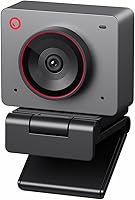
Insta360 Link 2C Pro vs Link 2C: What Is Different? (November 2026)
The Insta360 Link 2C wins for most buyers because it scores higher and covers the same 4K, auto framing and gesture control. Pick the Link 2C Pro only when a larger sensor and directional mics matter more than the price gap.
On this page (6 sections)
The Insta360 Link 2C wins for most buyers because it scores higher and covers the same 4K, auto framing and gesture control. Pick the Link 2C Pro only when a larger sensor and directional mics matter more than the price gap.
The insta360 link 2c pro vs 2c question comes down to two parts: the camera sensor and the microphone system. Almost everything else is shared.
Both are compact USB webcams in Graphite Black. Both shoot 4K with HDR, both auto frame, and both run on the same free Link Controller software.
If you want the full picture of the base model first, our Insta360 Link 2C review covers how it handles day-to-day calls.


Insta360 Link 2C Pro vs 2C: what actually changes?
The sensor and the mics change, and little else. The Link 2C Pro moves to a 1/1.3-inch sensor and a directional dual-mic array, while the Link 2C keeps a 1/2-inch sensor and an AI noise-canceling mic.
The 4K resolution is the same on both. So is HDR, auto framing, gesture control, smartphone remote control, DeskView, Whiteboard Mode, bokeh and the privacy switch.
That means you are not choosing between a basic camera and a full-featured one. You are choosing how much image and audio hardware you want behind the same feature set.
The sensor difference in plain terms
The Link 2C uses a 1/2-inch sensor. The Link 2C Pro uses a 1/1.3-inch sensor, which is physically larger and gathers more light.
A larger sensor usually means cleaner video when the light is poor. Insta360 frames the Pro around exactly that: sharper 4K, cleaner footage and better low-light performance.
The base model is no slouch either. Its 1/2-inch sensor with HDR is built to keep 4K video true to life and usable in mixed lighting.
The microphone difference
The Link 2C relies on AI noise-canceling algorithms to filter background noise. Insta360 positions it as best-in-class audio for busy rooms.
The Link 2C Pro adds a redesigned dual-mic system with beamforming directional pickup. In practice that means the mics aim at your voice and push down sound from the sides.
If you take calls next to a kitchen, a shared office or a loud street, the directional approach is the more deliberate tool. If your room is already quiet, the base model's noise canceling covers it.
What stays the same on both
Both cameras share auto framing, so they zoom and adjust to keep one person or a group in view. Both support gesture and smartphone control for tracking, zoom and Whiteboard Mode.
Both offer natural bokeh through the Link Controller, plus DeskView and Whiteboard modes. Both include a privacy switch and ship with a magnetic mount, a USB-C cable and a USB-C to A adapter.
Compatibility is identical too. Both work with Teams, Zoom, Twitch and other major platforms.
Neither supports ARM-based Windows systems or Windows Hello Face Recognition.
How the published camera specs stack up
Beyond the sensor size, the spec sheets list a few more differences worth reading carefully. The base Link 2C specifies Phase Detection Auto Focus (PDAF) and lists an effective video resolution of 3840 pixels.
The Pro's spec list includes a 4x digital zoom, digital image stabilization, an item weight of 113.5 grams and a maximum aperture of 2.8 f_stop. The base model's data lists different aperture figures and focal lengths, so the two cameras do not share an identical lens setup.
What you should take from that: both are autofocus cameras with a zoom lens and a 16:9 image. The Pro's listed digital zoom and stabilization are the extra hardware details that sit alongside its bigger sensor.
Where the Link 2C Pro earns its keep
The Link 2C Pro is the better camera for dim rooms and for creators who need clear voice isolation. Its larger sensor and directional mics are the two reasons to pay more.
Start with light. A 1/1.3-inch sensor gives the Pro more room to work when your desk sits away from a window or your evening stream runs on a single lamp.
The footage stays cleaner before the software has to step in.
Then look at audio. Beamforming directional pickup targets your voice and reduces sound from the sides.
That helps in an open-plan home or a shared workspace where background chatter is normal.
The Pro also adds 4K Portrait Mode and Elgato Stream Deck integration. Stream Deck support lets you switch modes, trigger presets and control multiple cameras without breaking flow.
Its dual-mic design is the audio upgrade, and the sensor is the image upgrade. Those are the two places the extra money goes.
If you also weigh the Pro against its bigger sibling, our Insta360 Link 2 vs Link 2 Pro comparison shows where the full Link 2 line splits.
Who the Link 2C Pro suits
The Link 2C Pro fits streamers who run Stream Deck and want voice isolation without a separate microphone. It also suits anyone whose desk light is weak and who wants the camera to do the heavy lifting.
It is a sensible pick for a creator building a multi-camera setup, since Stream Deck can control more than one camera. That is a workflow advantage the base model does not list.
The trade-off is the score. At 7.9 it sits below the Link 2C's 8.4, so the Pro has to justify itself on hardware rather than overall value.
The lens and mounting details worth knowing
Both cameras use a zoom lens and auto focus, and both list a 16:9 aspect ratio. The base model specifies Phase Detection Auto Focus (PDAF) for instant focusing and crisp video as you move.
The aperture numbers differ as well. The Link 2C lists a maximum aperture of 1.8 millimeters and a minimum of 1.7 millimeters, while the Link 2C Pro lists a maximum aperture of 2.8 f_stop.
The focal lengths also differ in the published specs.
What matters for mounting is the kit. Both come with a magnetic mount, a USB-C cable, a USB-C to USB-A adapter and four recognition markers.
The markers are what the software uses to anchor Whiteboard Mode and DeskView.
The Pro lists an item weight of 113.5 grams and digital image stabilization, which can help when the mount picks up desk vibration. The base model has no weight in the data we have, but both are compact enough to sit on a monitor without a heavy arm.
What the extra modes mean in practice
The base model's specialized modes are DeskView and Whiteboard. DeskView gives viewers a top-down view of your desk, which is useful for showing a notebook, a sketch or a product during a demo.
Whiteboard Mode turns the camera toward a wall board and keeps it aligned.
The Pro carries those two and adds 4K Portrait Mode, a framing option for vertical or presenter-style video. That matters if you publish clips to vertical feeds as well as to a normal stream.
Gesture control works the same way on both. A hand gesture starts AI Tracking or Auto Framing, zooms in or out, and switches Whiteboard Mode on.
The smartphone remote gives you the same controls from a second screen.
Where the Link 2C still wins
The Link 2C wins on value and on doing the core job well. It brings 4K, HDR, auto framing and gesture control without the Pro's premium.
Its 1/2-inch sensor with HDR handles ordinary desk lighting and video calls. Phase Detection Auto Focus (PDAF) keeps the picture sharp as you move, which matters more than raw sensor size in a well-lit room.
The AI noise-canceling mic filters background noise for clear speech. For a home office with a closed door, that is enough.
It also covers the creative modes people actually use: DeskView for showing documents, Whiteboard Mode for sketching, and natural bokeh for a softer background. The gesture controls and smartphone remote work the same way as on the Pro.
The privacy switch is a small but real plus for anyone who takes calls in a shared space. Flip it and the camera is off.
Who the Link 2C suits
The Link 2C suits most people: remote workers, students, everyday streamers and anyone setting up a first serious webcam. It covers meetings, calls and casual streaming without extra gear.
It is also the pick when you would rather spend the difference on a light or a microphone later. The camera already handles 4K and framing, so the upgrade path is easier to plan.
The honest con is the smaller sensor. In a dark room, the Pro has more headroom.
In a normal room, the gap narrows.
How they compare on the desk
Both are compact and mount the same way, so desk fit is not the deciding factor. The choice stays in the sensor and the mics.
Both come in Graphite Black with a magnetic mount, a USB-C cable and a USB-C to A adapter. The adapter matters if your laptop or desktop only has older USB-A ports.
Both use USB connectivity and automatic exposure. Neither includes a flash or a built-in battery, so they draw power from the port.
The Link 2C's own kit lists four recognition markers as well. Both cameras are light enough to sit on a monitor without a heavy arm, and the Pro's digital image stabilization can help if the mount picks up desk vibration.
Software and setup
Setup is the same on both: connect USB, install the free Link Controller, and adjust settings. The software handles bokeh, specialized modes and advanced features.
That shared software is why the comparison is simple. You are not learning two different apps or juggling two control schemes.
If you plan to switch between cameras, the Pro's Stream Deck support makes that smoother. Otherwise the base model's controls are identical.
Which setup fits which room
The base Link 2C pairs well with a desk near a window or a room with a ceiling light overhead. In that setting its 1/2-inch sensor and HDR keep the picture balanced without tweaking.
The Pro is the better fit for a corner desk with no window, a basement office or a late-night stream lit by one lamp. The bigger sensor gives the software more to work with before noise shows up.
Audio follows the same logic. A closed-door home office suits the base model's AI noise canceling.
An open-plan space, a kitchen table or a room with a TV nearby favors the Pro's directional pickup.
Which should you buy?
Buy the Insta360 Link 2C for most setups, and buy the Link 2C Pro when low light or voice isolation is the whole point. The score favors the base model; the hardware favors the Pro for specific rooms.
Here is the simple decision rule. Pick the Link 2C if your desk has decent light and you want 4K, auto framing and gesture control at the better overall score.
Pick the Link 2C Pro if your room is dim, your calls are noisy, or you run Stream Deck and want directional mics.
The Link 2C is also the better first webcam. It leaves budget for a key light or a standalone mic, and those two upgrades often do more for a stream than a sensor bump.
The Pro makes sense when you already know your weak points. If your video looks grainy at night or your voice gets lost in background chatter, the bigger sensor and beamforming mics address exactly that.
A quick note on alternatives
If you are still weighing other brands, the OBSBOT Meet 2 vs Insta360 Link 2C comparison covers a rival in the same 4K class. Budget buyers can also read the Anker PowerConf C200 vs Logitech C920 breakdown for cheaper options.
Those posts help if price or brand support matters more than the sensor and mic gap between these two Insta360 models.
Verdict
The Insta360 Link 2C is the better buy for most people. It scores 8.4 against the Pro's 7.9 and delivers the same 4K, HDR, auto framing and gesture control.
Choose the Link 2C Pro when your room is dark or your audio needs directional pickup. Its 1/1.3-inch sensor and beamforming mics are real upgrades, and Stream Deck support helps creators.
For everyone else, the base model is the smarter spend. Start with the Insta360 Link 2C review for the day-to-day experience, then decide whether your lighting or your voice is the bottleneck.
Frequently asked questions
Is the Insta360 Link 2C Pro better than the Link 2C?
The Pro has the better hardware on paper, with a 1/1.3-inch sensor and directional beamforming mics. The Link 2C still scores higher overall because it delivers 4K, auto framing and gesture control at the better overall score, so the Pro only wins when low light or voice pickup is your priority.
What is the main difference between the Link 2C and Link 2C Pro?
The sensor and the microphone system. The Link 2C uses a 1/2-inch sensor and an AI noise-canceling mic, while the Link 2C Pro steps up to a 1/1.3-inch sensor and a directional dual-mic array.
Both shoot 4K and share auto framing, gesture control and the Link Controller software.
Do both webcams work with Zoom and Teams?
Yes. Insta360 says both cameras work with Microsoft Teams, Zoom, Twitch and other major conferencing and streaming platforms.
Neither supports ARM-based Windows systems or Windows Hello Face Recognition.
Which webcam is better for streaming?
The Link 2C Pro suits streamers who want Stream Deck control, 4K Portrait Mode and clearer voice isolation from directional mics. The Link 2C covers the same core streaming features, including auto framing and Whiteboard Mode, and is the better value for a first streaming setup.
Do the Link 2C and Link 2C Pro need the same software?
Both run on Insta360's free Link Controller desktop software. It handles settings, bokeh, specialized modes and advanced features, so the software experience is shared and the hardware is where the two models differ.